


Baby Panda's Town: Hospital
4.6195.00 Reviews
App Specs
- Version
- 8.76.00.00
- Updated On
- License
- Free
- Downloads
- 10,000,000+
- Developer
- BabyBus
- Categories
- Educational
- Platform
- Android, iOS
Screenshots
 Analysis by AppCompare
When I judge a children’s game, I look beyond whether it keeps a child occupied: I want to know what kind of play it encourages, how easily a young player can make sense of it, and whether it fits the moment a parent has in mind. Baby Panda's Town: Hospital is an educational role-playing game from BabyBus, built around familiar hospital scenes. It suits children who like pretending to help people, though it works best as a playful starting point rather than a substitute for real explanations about health or a structured lesson.
What to expect when play begins
The game’s hospital setting gives children a clear imaginative role: they can explore rooms, meet characters, and take part in doctor-themed activities. That recognizable frame helps a child who may already have played pretend doctor at home, while the bright presentation makes the setting feel approachable rather than intimidating. I’d introduce it when a child is in the mood for open-ended role-play, not when they need a tightly guided learning exercise.
For a realistic everyday use, imagine a child waiting with a parent before an appointment. The game can offer a familiar pretend setting to occupy that stretch of time and create an opening for a simple conversation about what doctors do. I’d let the child lead the play, then answer questions in plain language instead of treating the game’s scenes as medical advice. That distinction matters: the appeal is imaginative practice, not preparing a child to diagnose or treat anyone.
Speed expectations and play rhythm
I expect a game built around colorful scenes and simple interactions to feel approachable for short sessions, rather than demanding long stretches of concentration. The experience is most useful when a child can settle into one small bit of pretend play and stop naturally. A parent can help by suggesting a simple goal—visit a patient, look around a room, or act out a caring conversation—rather than asking the child to finish every activity in one sitting.
That approach also makes the game easier to fit around family routines. A few minutes of play before dinner is a different use from handing over a device for a long, unsupervised session. I’d treat it as one option in a rotation of quiet activities, especially for children who enjoy repeating familiar scenes. If a child expects a fast sequence of levels or a competitive challenge, this hospital role-play may feel comparatively gentle.
When play gets busy
Children often switch quickly between characters, rooms, and ideas once a pretend scenario catches their attention. That can be part of the fun, but it may also make the play feel scattered. I find it useful to offer a small prompt—such as asking the child to imagine how a patient might feel—then leave room for their own story. This encourages conversation without turning the game into a quiz or requiring an adult to direct every tap.
It is also worth watching how a child responds to medical themes. Some children find hospital settings reassuring and interesting; others may connect them with an anxious real-life experience. If a child becomes uneasy, I would pause and talk, or switch to a different kind of game. The same feature that gives the game a useful role-playing premise will not suit every child at every moment.
Worth Reading Before You Choose

Baby Panda World Brings Quick Play to Modern Phones, but Its Game Library Feels Busy

ESPN’s Live Game View Makes Following Close Games Easier

QuizzLand Review: A Good Fit for Short Trivia Breaks, Not Every Player

Basketball Stars: Multiplayer Is Fast, but Can It Recover When Matches Go Wrong?

WEBTOON Turns Phone Updates Into a Better Reading Routine

Link to Windows Runs on Shared Habits, Not Social Feeds
Reliability and family expectations
BabyBus is the developer, and this title is rated Everyone. It is free to download, with in-app purchases offered at prices ranging from $2.49 to $41.99 per item. That makes it sensible for a parent to check the purchase settings on the device before handing it over, particularly if a child tends to tap quickly or explore every on-screen option. Free to download does not mean every part of the experience is necessarily included without an extra purchase.
The game has a 4.1 average from around 11,000 ratings and has been installed over 10 million times. Those figures suggest that it has reached a broad audience, but they can’t tell me whether its style will click with one particular child. I’d make the decision based on that child’s interest in pretend play and on whether the family is comfortable managing in-app purchases, rather than treating popularity as a guarantee of fit.
Device constraints and practical setup
The current version is 8.75.00.01, and the game requires Android 6.0 or later. Before installing, I’d check that the device meets that requirement and has enough free space for another children’s game. On an older or busy device, closing other apps before play is a reasonable first step if the game feels slow; it is a simple troubleshooting habit, not a promise that every performance issue will disappear.
For younger children, the practical setup matters as much as the game itself. I’d open it with an adult nearby the first time, confirm that the child can move around comfortably, and explain that purchases require asking first. This also gives the parent a chance to see whether the hospital theme feels enjoyable or unsettling. A child who finds the controls or choices confusing may benefit from a short guided introduction before playing independently.
Compared with a coloring app or a basic matching game, this title offers more pretend context: the child can build a story around caring for characters instead of simply completing isolated puzzles. Compared with a more structured educational game, it may offer less of a lesson-by-lesson feeling. That trade-off is useful to know. Choose it for imaginative hospital play and conversation; choose a focused learning activity when you specifically want a clear practice goal or a more deliberate teaching sequence.
How to get more from a short session
A helpful way to use the game is to connect its pretend play to a child’s own questions without pressing for a “correct” answer. If the child points to a hospital task, ask what they think the character needs, then let them invent the next step. This gives the activity a social dimension and can help a parent notice what the child already understands. It is a low-pressure conversation starter, not a test of medical knowledge.
I’d also keep expectations modest about replay. Children who enjoy revisiting the same role-play may find comfort in doing familiar things again, while children who want constant novelty may move on quickly. Rather than urging them to stay with it, I’d let their interest set the session length. That makes the game easier to use as a brief distraction during a wait, without assuming it will hold every child’s attention for a long period.
Exploring the World of Baby Panda's Town
As soon as you open Baby Panda's Town: Hospital, you’re greeted with vibrant colors and an inviting interface that captures the imagination of young minds. The app is designed to be both educational and entertaining, making it an excellent tool for learning through play.
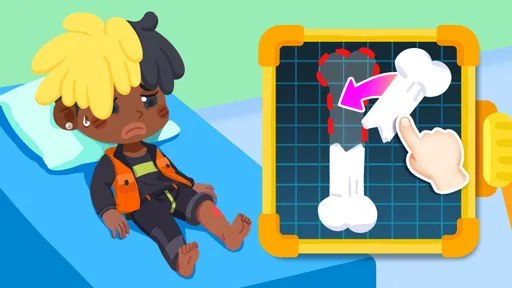
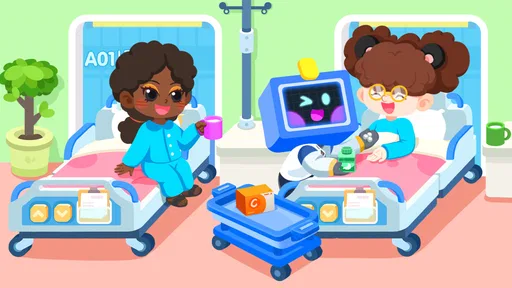
The premise is simple yet engaging. Kids step into the shoes of a doctor, nurse, or even a patient. They get to explore different hospital rooms, interact with a variety of characters, and perform tasks that are typical in a hospital setting. The interactive elements are intuitive, allowing children to easily navigate through the hospital environment without getting frustrated. It’s all about making learning fun, and this app nails it.
Interactive Gameplay
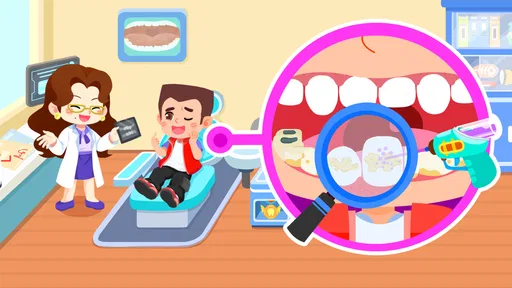
One of the standout features of this app is its interactive gameplay. The developers have done an incredible job of creating scenarios that mimic real-life hospital situations. Kids can check patients' temperatures, administer medicine, and even perform simple surgeries. It’s a great way to introduce them to basic medical concepts and the importance of healthcare professionals.
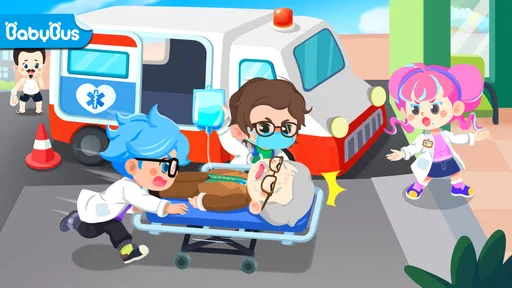
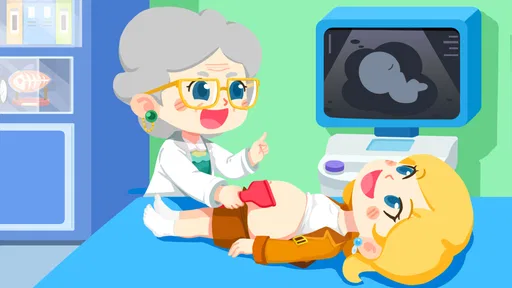
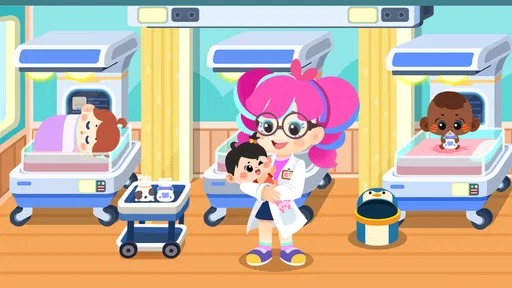
The hospital is bustling with activity, and each room offers a new adventure. Whether it’s the emergency room, the maternity ward, or the pharmacy, there’s always something to do. The tasks are designed to be age-appropriate, ensuring that young players can follow along without feeling overwhelmed.
Educational Value
While the app is a lot of fun, it also serves an educational purpose. Baby Panda's Town: Hospital introduces kids to medical terminology and teaches them about the human body. By playing the game, children can learn about health and hygiene in a way that isn’t preachy or boring. It’s a gentle introduction to the world of healthcare that can spark an interest in medicine from an early age.
Moreover, the app encourages empathy and compassion. Kids learn about taking care of others and the importance of helping those in need. It’s a subtle yet powerful message that can have a lasting impact on young minds.
Graphics and Sound
The graphics in Baby Panda's Town: Hospital are bright, colorful, and detailed, which is perfect for capturing the attention of children. The characters are cute and friendly, making the hospital setting feel warm and welcoming. The sound effects and background music are cheerful and add to the overall immersive experience.
The animations are smooth, and the controls are responsive, ensuring that the gameplay is seamless. It’s clear that a lot of thought has gone into making the app accessible and enjoyable for kids.
User Experience
One of the things I love about this app is its user-friendly design. The navigation is straightforward, and the instructions are clear, which is essential for an app aimed at young children. Parents will appreciate the absence of intrusive ads and in-app purchases, making it a safe environment for kids to explore.
In addition, the app doesn’t require an internet connection, which is a huge plus. Kids can play it on the go, making it a great option for car rides or waiting rooms.
The developers have also included helpful features for parents, such as the ability to set playtime limits and track educational progress. It’s a nice touch that adds to the overall appeal of the app.
Final Thoughts
Overall, Baby Panda's Town: Hospital is a fantastic app for young children. It’s entertaining, educational, and offers a creative outlet for kids to learn about the medical world. The combination of interactive gameplay, engaging graphics, and educational content makes it a must-try for parents looking to introduce their kids to the concepts of healthcare.
So, if you’re on the hunt for an app that will keep your children entertained while also teaching them valuable life lessons, give Baby Panda's Town: Hospital a try. It’s sure to be a hit with both kids and parents alike!
Pros
- Engaging and educational gameplay.
- Colorful and appealing graphics.
- Simple and intuitive controls.
- Variety of hospital scenarios.
- Encourages empathy and care.
Cons
- Limited activities for older kids.
- In-app purchases can be frequent.
- Repetitive tasks may bore some.
- Requires internet for full features.
- Some ads can be disruptive.
FAQs for Baby Panda's Town: Hospital
What is the main objective of Baby Panda's Town: Hospital?
Baby Panda's Town: Hospital is an educational game designed for young children to explore the world of healthcare. The main objective is to teach kids about different medical procedures and hospital settings through interactive play. Children can role-play as doctors or nurses, learning about patient care, medical instruments, and hospital operations in a fun, engaging way.
Is Baby Panda's Town: Hospital suitable for all age groups?
The game is primarily designed for children aged 3 to 8 years old. Its bright graphics, simple controls, and educational content make it suitable for this age group. However, parents should supervise younger children to ensure they understand the gameplay and educational aspects. Older children may also enjoy the role-playing elements.
Does Baby Panda's Town: Hospital require an internet connection?
No, Baby Panda's Town: Hospital does not require an internet connection to play. Once downloaded, children can enjoy the game offline, making it a great option for entertainment during travel or in areas with limited internet access. However, an internet connection may be required for initial downloads and updates.
Are there in-app purchases or ads in Baby Panda's Town: Hospital?
Yes, Baby Panda's Town: Hospital includes in-app purchases and advertisements. These can unlock additional features or content within the game. Parents are encouraged to adjust app settings to prevent accidental purchases and manage ad exposure, ensuring a safe and controlled play environment for their children.
How does Baby Panda's Town: Hospital support learning and development?
The game supports learning by introducing children to basic medical concepts and vocabulary through interactive play. It encourages problem-solving, empathy, and creativity as children role-play different hospital scenarios. By simulating real-life medical situations, it helps develop cognitive skills and understanding of health and wellness.


